Learn
Free. Articles and frameworks from real training rooms, at your own pace.
This page was translated from Dutch with AI.
Resources
Discover the books by Steff Vanhaverbeke (Finally Superpowers, Being Replaced, Build Bot Brains), podcasts, workshops and open-source AI tools.
I write, teach and build, because ideas that help people deal with change deserve more than one workshop or one social media post. Below you will find the learning space with the frameworks behind my work, books you can read at your own pace, podcasts where we dive deep into specific topics and open-source tools you can use right away.

You can read the frameworks from my books and workshops in the learning space, along with new articles from real training rooms. You start for free and grow when you are ready.
Free. Articles and frameworks from real training rooms, at your own pace.
The complete online toolbox: you learn at your own pace and build your own system with AI, without programming.
A year of coaching and support from me, in a small group of at most twelve. The first group starts in February 2027.
Your idea is ready and you want to start building. With these three sources in your workspace, your agent writes better code, in steps and with a safety net.
You give your AI more and more work, but your overview is a list of recent chats. Here is how you manage that work as tasks, with statuses and a board.
A worksheet for an afternoon of vibe coding with a colleague or friend, on a topic that is not yours: fifteen minutes of preparation, five timed blocks and five prompts.
You wake up in the middle of the night and start calculating how many hours of sleep you have left. Why that is exactly what keeps you awake, and what you can do instead.
You want to learn vibe coding for that one project in your head. Why you learn the process faster with a topic that is not yours.
Your figures are disappointing, you adjust the behaviour and very little changes. The iceberg model shows where such a result actually comes from.
Short prompts to have your AI type out and organise a photo of your notes, a whiteboard, a process sketch or a screen sketch, with what it could not read well marked separately.
You come back from lunch and ask just one more question in your long chat. Why that is exactly the most expensive question of the day, and what you are better off doing before your break.
Four prompts to turn a chore you put off once a month into a small task that runs every day: choosing, testing by hand, having it report and summarising.
You like to brainstorm on paper, but afterwards everything still has to be typed out. You can simply give that part to your AI, even for diagrams and sketches on a whiteboard.
A checklist to create your first API key in fifteen minutes, store it safely and link it to one workflow, with a prompt that tracks your usage for you.
The legal agent in your AI tool mainly knows American law. Here is how you build your own skill that works with Belgian, European and Flemish rules.
Having your mailbox combed through once a month seems efficient, but it costs more and more slips through. Here is how you schedule a small task every day, with a skill behind it.
Two people are completely at odds and no one gives in. This is how you find the ground where they do stand together, and how you state what happens if that fails.
You collect ideas all day and turn them into prompts yourself the next day. You can leave that step to an automation that reads your idea box.
Five steps and five prompts to first have a skill you find online reviewed and then rebuild it into a version with your examples and your boundaries.
You already pay for Claude or ChatGPT, and yet your workflow asks for an API key. This is how that key works, how you make one and how you keep it safe.
Where it used to say agents, you now see plugins. Such a plugin is a folder with instructions and skills, and you can share it with your whole team.
The more generic AI content goes around, the faster people tune out. Let AI do your chores, and keep what you put out there recognisably yours.
When your AI asks you questions first, you decide how many and in what format. With numbered questions and example answers, you simply reply with 1a or 2c.
A one-hour worksheet to help your team go from four SWOT lists to two or three choices, with a scoring scale, four questions and two prompts.
Anyone who sees only one way to their goal comes to a standstill as soon as that road is closed. Here is how you create a few routes in a single conversation, using the SCORE model.
Four lists of strengths, weaknesses, opportunities and threats are just step one. With the confrontation matrix, you turn them into priorities and an action plan.
If you put everything on your slides to send them out afterwards, you get an audience that reads along instead of listening. Here is how you separate your slides and handout.
A README to fill in, with the prompt that makes your agent write it and a test with a fresh agent, so someone else can install your tool without calling you.
People forgive a blurry picture faster than bad sound. Here is how you sort out your online setup, with a backup in case something does fail.
You can steer a meeting that gets bogged down in talk as a participant. With a few good questions, you bring it back to decisions and actions.
What you build with AI must be readable by someone else later, human or agent. Ask your agent to write the documentation before you put something live.
Prompts to paste into Copilot next to your open document in Word, Excel or Outlook, so it does the work in your file and you no longer have to copy and paste.
A meeting that waits for latecomers costs the time of those already sitting there. This is how you respect the clock, from the first to the last fifteen minutes.
Writing everything out in advance or building in short loops? Both are possible, but those who only see the result at the end often get a kitchen they did not want.
In the standalone chat, Copilot mostly gives you text back. Open it in Word, Excel or Outlook, and it does the work itself right there in your document.
Four prompts to tidy up your AI's memory: first testing what it still believes, then proposing, deciding and keeping the map small. You decide what can go.
One card to hang next to your screen: four settings for your AI's thinking level, two questions to set the dial and two prompts for your own rule of thumb.
You do not have to choose between an agent and a workflow. Let the agent create what is different every time, and a fixed workflow do what is always the same.
Let your agents keep track of what they do, and their memory grows faster than you think. A regular clear-out keeps it small, a bit like dreaming.
A fifteen-minute worksheet for your review with your AI: first your own guess, then its answer, one choice, and two prompts to close the loop.
If your building project with AI gets stuck, pushing on a bit longer rarely helps. Stop in time, and talk your problem out loud, to a rubber duck, a colleague or your agent.
Every workflow has points where it must choose which way to go. Here is how you determine for each fork whether a rule, an agent or you yourself decide.
Alongside your model is a second button: how deeply your AI thinks. Higher is not always better. Here is how you choose the right thinking level for each task.
If your agent asks for permission at every step, you will eventually click approve blindly. This is how you put control where it actually makes a difference.
Phrases you can say word for word to open a meeting, explore together, work with resistance and close. Plus a prompt for your notes.
The same question, the same model, and yet a different answer? Then the app is deciding too. Here is how you read a refusal and know what to do with it.
Is there an AGENTS.md in your home folder and in your project, and you do not know which one counts? They both count. This is how you organise them without contradictions.
A checklist to clean up your agent's instruction file in fifteen minutes, with the signs that it is getting too big and two prompts for a fresh session.
Have you been working with your AI for months? Let it look back at what you did together. The answer can be confronting, and that is exactly why it is useful.
Your AI can easily build you a custom CRM. But if you build it, you maintain it. Here is how you decide what to build yourself and where to let an existing tool do the work.
Do you want to get to the conclusion as quickly as possible in a meeting, and is that exactly where it gets stuck? The participation diamond shows why opening first is faster.
Five prompts to let your agent divide the work: breaking down your plan, defining roles and handovers, asking for the status, adjusting and learning afterwards.
Do you never quite know what is expected of you when you get an invitation? One question about the kind of meeting tells you how to prepare.
Your instruction file grows with every project, and your agent loses track. Let it check for itself now and then what is duplicated, redundant or contradictory.
You know your work, IT knows the systems, and together you often talk past each other. A new role is growing in between: someone in your team who builds with AI, within the framework of IT.
Is someone being difficult in your meeting? First look at what resistance you are facing: not understanding, not wanting to, or not trusting. Each requires a different response.
A ten-minute worksheet for your own newsletter in n8n: your topic, your sources, what counts as important, and a completed instruction for your agent.
Deploying and publishing are not the same. Here is how you choose between a web app on a server and a real app in the store, and how you test it on your own device first.
Does your chat with your agent go on endlessly during a larger project? Turn it into an orchestrator that distributes the work across other agents, while you keep talking to it.
Your app is ready, but setting up a server feels like a separate profession. Give your agent access to your own server and let it propose and arrange the technical side.
Five steps and one central prompt to turn what you already do into a small content machine that writes in your voice. And you remain the one who publishes.
Too many newsletters and still not keeping up? A workflow with a timer searches for news about your field every morning and emails you the three most important stories.
Is your chatbot answering vaguely or missing the point? Give it a narrow knowledge document, separate instructions and tell it explicitly where to look.
The assistant in your automation tool knows nothing about your work. Connect the agent on your computer to n8n and let it build, with up-to-date documentation included.
A script to fill in for one agenda item in 1-2-4-All, with the sentences you can say word for word and a time schedule. Ready in ten minutes.
Is your agent trying to fix the same thing for the tenth time? Open a new session, point them to the stuck session and ask for the root cause.
Many good ideas die in a chat. Brainstorm out loud with your AI, in the car or on a walk, and always ask for documents at the end.
Five prompts to close your meeting with agreements that happen: checking your report, getting actions confirmed and opening the next meeting.
Testing your own app feels thorough, but you often just follow the ideal path. Let your agent, and ideally a second AI, look for the edge cases.
Do you lead a meeting and do most of the talking yourself? Here is how you choose your role for each moment: expert, coach or facilitator, depending on what the group already knows.
Do people in your meetings always seem completely lost? With the rules, the referee and the scoreboard of a game, everyone knows where they stand.
Do the same three people always talk in your meetings? By going alone first, then in pairs and then in small groups, everyone gets a turn.
A ten-minute worksheet that runs your own AI idea through the four boxes of the AI Act: four questions, what you arrange per box and a prompt that interviews you.
Are you going from meeting to meeting and not getting to your real work? With a small filter, you decide for yourself where your contribution counts.
Do you have to say you had no time again in the next meeting? This is how you see the open loops in your head, and close them one by one.
Ten questions to copy for your notebook in Copilot or Gemini, for a client conversation, your own organisation, a job interview and checking the answers.
Do you get a long report after every meeting that nobody reads? With five fixed parts, everyone knows what was decided and who is doing what.
Worried that your AI is leaking your data? Often the leak is in the share button. Here is how you check what you have shared in the past and what your AI is allowed to do with your conversations.
Are you doubting whether you are allowed to do something with AI? The four risk levels of the European AI Act help you to categorise your own use case in a few minutes.
A mandate to fill in that says what your agent is allowed to solve on your server by itself, when, and what it always leaves to you. Ready in fifteen minutes.
Are you barely allowed to use AI at work? Then people will find their own way, and that usually involves their private chatbot. Here is how you prevent that.
A short checklist to see where you are tied to a single AI provider, with the prompt that makes your instructions and your context portable.
Let your AI make slides or a website and everything looks like what everyone else makes. With one file containing your brand style, it looks like yours again.
Lots of ideas and no idea where to start? A small project for yourself, without a boss or a deadline, is in my opinion the most fun place to learn how to build with agents.
Do you need to build an agent for a stack of documents? If you mainly want to extract insights from them, a notebook in Copilot or Gemini actually works better.
Anyone who wants to automate usually thinks of the biggest process right away. I would start with the small tasks you do the same way every time.
You often do not really know how you sound yourself. Your AI can extract it from your own emails, and then it will write a bit more like you from now on.
Six prompts to copy that take you from a briefing to a built screen that really looks like your design, with a description that you read through yourself first.
An agent that patches your server itself needs a mandate. This is how you decide which sources it believes, what it is allowed to do itself and what it leaves to you.
An agent keeps working until it is done, if you tell it what done means. This is how I describe in advance what a good result looks like, as a checklist.
Did you put something online yourself after a workshop? After a week full of security leaks, you can read here how an agent guards your server for you, including the prompt.
Building a skill sounds like a lot of writing. Today I leave that to my AI. Four ways to let your AI create a skill, including by demonstrating it.
Before I build a skill or an agent, I look at the shape of my work. A chain, a branch, a nest or a diamond, and what that changes.
Six steps with ready-to-use prompts to build an agent that goes through your emails every morning and tells you what needs your attention today. Ready in half an hour.
The big AI companies are bringing you in cheaply right now. I prefer to spread my work across multiple tools, and I explain why and how you can do that yourself.
A skill is a folder, and it can contain more than just text. This is how I let my agent look at an interesting skill first and make its own version of it.
An agent that has to build a design often turns it into something else. I let it describe the design first, and only build it afterwards.
Six fill-in-the-blank messages that tell your AI who you are and how you work, plus the question to check what sticks afterwards. Done in fifteen minutes.
Anyone building tools themselves with AI will sooner or later run into IT. Why that resistance is there, and why a small, concrete request works much better.
AI feels almost free today, because someone else is paying the bill. I would already work as if you are paying the real price.
An agent that checks your emails every morning is an ideal first agent. This is how you write the instruction and how you give it only what it needs.
If you translate into a lesser-known language or about something sensitive, I would ask your AI how sure it is first, and then translate it back with a second AI.
A fifteen-minute worksheet that divides your documents into three buckets: leave as is, business or European, and local. With the prompt that helps you sort.
No enquiry gets left behind and no follow-up gets forgotten. How AI helps you reply quickly and follow up on time, without it feeling cold to your clients.
The manual work that returns every week does not have to stay with you. What AI can take over from your emails, reports and quotes, and how you start small.
One card to hang next to your screen or share with your team, plus six sentences to adjust your AI in plain language while it builds for you.
A new colleague gets an onboarding, your AI usually does not. I use six questions from my coaching practice to teach my assistant how I work.
Crossed arms or looking away say little on their own. I first look at how someone usually is, and then I pay attention to what deviates from that.
Your advantage lies in working more personally. AI helps you work faster and more tailored to your client, with your own voice included.
You rarely solve an inner conflict by choosing. With the Visual Squash you look for what both sides of yourself want, and that is often the same thing.
Many small costs keep running because no one looks at them. Which tasks you can take into your own hands with AI, and how you start small without stacking subscriptions.
A short checklist for those building apps with AI, including the security paragraph for your brief and the prompt to have a second agent attack your app.
If your tool is not in the list of connectors, your AI can often build one itself. This is how I tackle that safely.
An expensive personal AI subscription does not give you business agreements about your data. I explain the difference, and what I keep local myself.
Dutch costs your AI more working memory than English. So I let my AI work in English, and one sentence in your instruction is enough for that.
You repair a car by looking for the cause, but not a team. I explain why that difference matters and where we often go wrong.
Ten sentences to copy for the start, the middle and the end of a long AI task, so you work with a handover.
A SMART goal sounds solid, and yet often nothing comes of it. What is missing when a goal only comes from your head, and how I make it SMARTER.
Deleting one line in Excel cost an organisation its collaboration. Why lists hide what is going on, and how you learn to draw arrows.
You can give an agent a goal and let it go, or watch along step by step. I teach the second in my workshops, and I explain why.
Anyone who puts all their documents into a knowledge base for AI will see their assistant drown in it. A short index that points the way actually works much better.
I used to build a separate agent for every task, until I no longer knew who did what. Now I work with a few agents that share skills.
Six prompts to copy that make your AI ask the right questions first, for an email, a plan, a doubt, a difficult conversation or your own assistant.
Anyone building with AI will sooner or later be asked if they can commit. I explain what Git, a repo and GitHub are, without jargon.
ChatGPT, Claude, VS Code, Cursor, Craft Agents: those who start out often lump them all together. I work with three layers, and they help you choose.
I now brief my AI with five letters: task, outcome, unknowns, context and handover, because today's models guess the rest themselves.
Our feeling is already there before we start thinking. I explain how that works, and why emotional awareness actually begins in your body.
When my AI made a mistake, it started defending itself. I asked it for a lesson, and that is now in its memory.
If you repeat someone's words in your own words, the connection breaks for a moment. Why I reflect things literally, even in an age of chatbots.
Two colons and a short word, and your AI knows what you mean. This is how I put custom commands in my custom instructions, for things I ask every week.
In a workshop this week I showed my custom instructions on the screen. It says that I do not want to see any emojis. And not too many bullet points, and normal capital letters. And below that is a list of lines that start with two colons. Those are the rules I use most often, and they are barely a word long.
Feel free to copy the prompt at the bottom of this article, and you can write your first shortcut together with your AI.
What you type again every week
Take a look at your own chat history. Chances are you formulate the same questions over and over again. Translate this to Dutch. Write a short bio about me. Make this text a bit looser. Every time you type a sentence, sometimes two. And every time it is slightly different, so the result is too.
Not every task needs a skill. I would create one for work you do often, and only at the end of a good chat.
One assistant who knows everything and is allowed to do everything loses the overview. That is why I work with smaller agents, each with its own defined context.
An AI on your own computer can read, organise and edit files. I explain what that changes, and how you start safely.
Anyone who builds with an AI agent explains where everything is over and over again. One Markdown file solves that, and I tell you what belongs in it.
Your workflow works today and might break next month after an update. That is why understanding how AI works pays off more than memorising buttons.
Building an app with AI is fast. If you want it to be secure too, you put security in your briefing and let a second agent attack your work.
Can AI handle the reservations for a B&B? I always start with a drawing of the process, because that is really what determines whether an agent works.
Sometimes Copilot seems to know everything, and sometimes it cannot find a document that is right there. I explain how its index works and what you can do about it.
Those who use AI as a search engine get confident nonsense and think less for themselves. Those who use AI as a thinking partner become sharper. The difference lies in the direction.
Good ideas often die in the second after they are born. Why real creativity needs the critic, and why you should make something tangible as quickly as possible.
Knowledge agents, work agents and autonomous agents. Why the autonomous dream often derails today, and where the real gain is for those starting now.
Anyone who works well with agents goes through three phases. The first two are about efficiency. The third is about work you could never have done before.
Why your AI keeps forgetting your tone of voice. Put your facts, your rules of behaviour and the knowledge per client each in their own place, and it will work faster.
As soon as your AI reads files and emails, a hidden sentence can give it a different instruction. What prompt injection is and which rule you add today.
The smartest model is not always the best. If you choose consciously per task, you gain control, time and space in your subscription.
You do not write the best prompt alone. With one sentence at the end, you let AI question you first, and you become sharper in your thinking.
Why a PDF burdens your AI more than the same text in Markdown, and two small habits that immediately improve your output and your instructions.
With every automation you choose how much oversight you keep: approving every step, or watching along with your hand on the brake. This is how you choose what suits your process.
If the answer is wrong, correcting it in a new message is the natural reflex. Editing your first question often works better, and your AI stays sharper.
A summary of a summary loses something every time. With a handover document and a phased plan, your AI will not lose the thread.
Describing a work process in plain language for an agent is flexible, but not always smart. When you are better off building a fixed workflow, and how you spot the difference.
An agent does what it can, unless you provide a framework. Why boundaries in your instructions are just as important as the task itself.
If you start building with AI straight away, you often get stuck. With a short discovery phase and a few early choices, you save days of work later.
A long chat does not train your AI, it fills the context window. Why the quality drops halfway through, and the habit that solves it.
A simple peer coaching exercise using the colours of the Six Thinking Hats. You just hold up a card and learn to listen in the meantime.
Four habits that turn an AI strategy into daily practice, for individuals, teams and entire organisations.
Five human capabilities that AI cannot take over, and a prompt to help you discover which ones you already use in your work.
Seven questions you answer before you press enter: this is how you turn a vague prompt into a reliable brief, for older and simpler AI models.
From Status Quo to Elevate: five levels that show how professionals and teams grow their relationship with AI, and what each level requires of people.
Why your judgement gets weaker if you give all your thinking to AI, and why human attention remains the scarce computing power.
A chatbot waits for your question, an agent completes a goal. Here is how you build your first own AI workflow this week, with a prompt to help you.
No articles for this choice.
Four books on AI, human skills and leadership, from Finally, Superpowers! to Game On!
Conversations where I was a guest, about AI, human skills, leadership and the future of work.
Do you want a workshop for your team? You can find the formats and the way I guide organisations on the AI adoption page.
Two days, one working AI solution. Hoeve Hestia, Westhoek.
A practical hackathon for freelancers, founders and AI curious professionals who want to stop experimenting and really want to build something. In two days you go from an idea to a tangible first version: a website, mini app, AI tool, workflow, agent or prototype. Organised in collaboration with The House of Coaching.
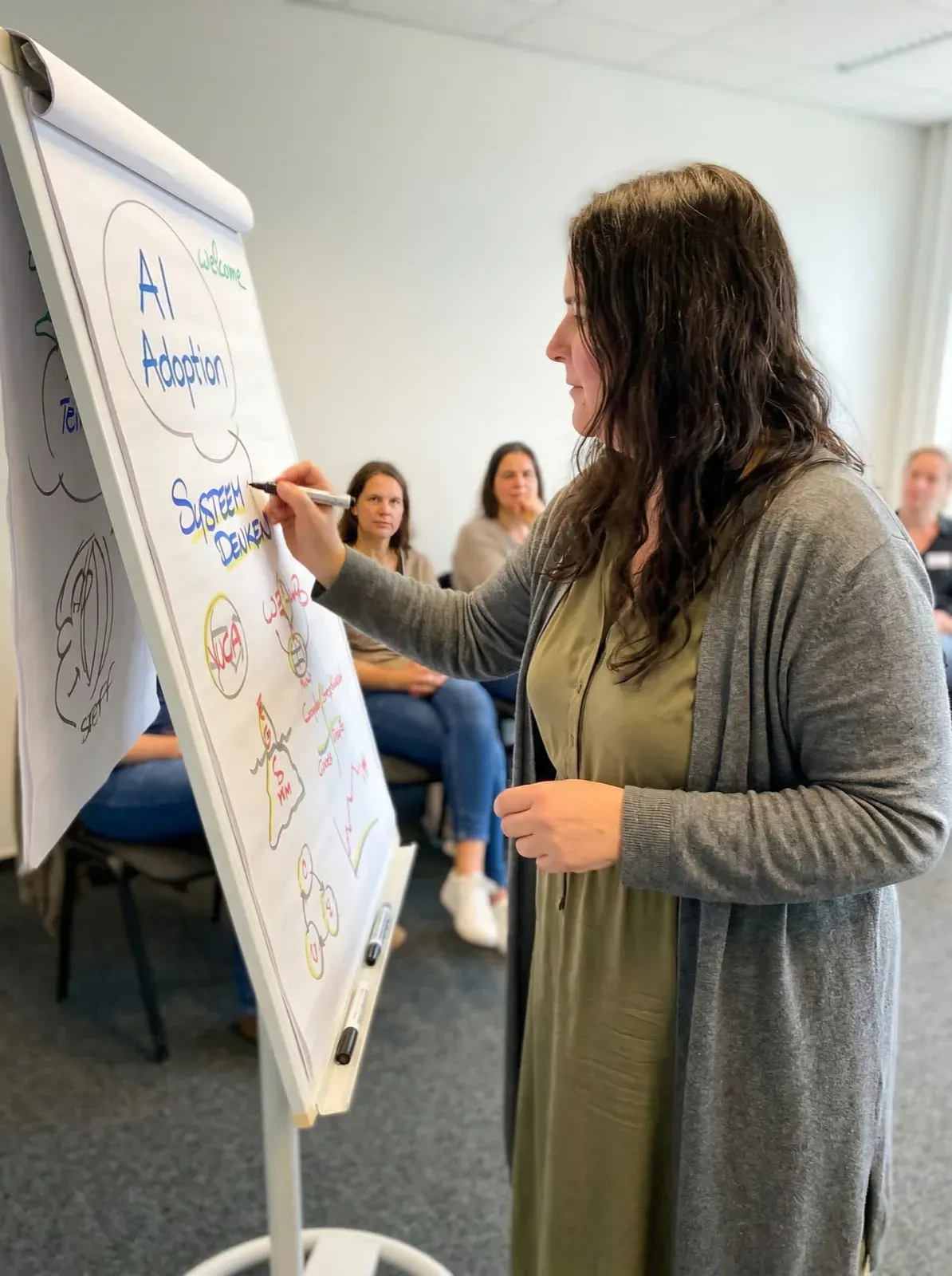
I give workshops via Syntra Bizz, Syntra West, Cevora and The House of Coaching, and also directly to organisations throughout Belgium and Europe.
I believe the best tools should be accessible to everyone. You can use, fork and further develop these GitHub repositories for free.
SuperPrompt: a ready to use system of prompt templates. Plug it into your workflow and immediately get consistent results with AI.
SuperSkills: a collection of reusable AI skill definitions for agents and assistants. Build capable AI partners without starting from scratch.
SuperSite: a Next.js framework for professional websites. Based on Markdown, driven by themes, and made for people who want a professional site without a computer science degree.
All to be found at github.com/CoachSteff.
Choose what suits you.
A short question or a specific request? I will answer you personally.
Thirty minutes to explore together what you need, without a sales pitch.
Become a free Member and read all articles in full. If you want to go further, you grow into Learn, Leverage and Lead.
Hi! I'm Steff's AI assistant. Feel free to ask me anything about her work, her books or how you could work together.
Answers are AI-generated from this site and may contain mistakes. Questions are stored without your name or IP address to improve the site. Please do not share personal details.